
AI Photography Education
AI Product Photography: The Complete 2026 Playbook
How AI is revolutionizing e-commerce visuals - and how you can use it to create studio-quality product photos in minutes, not days.
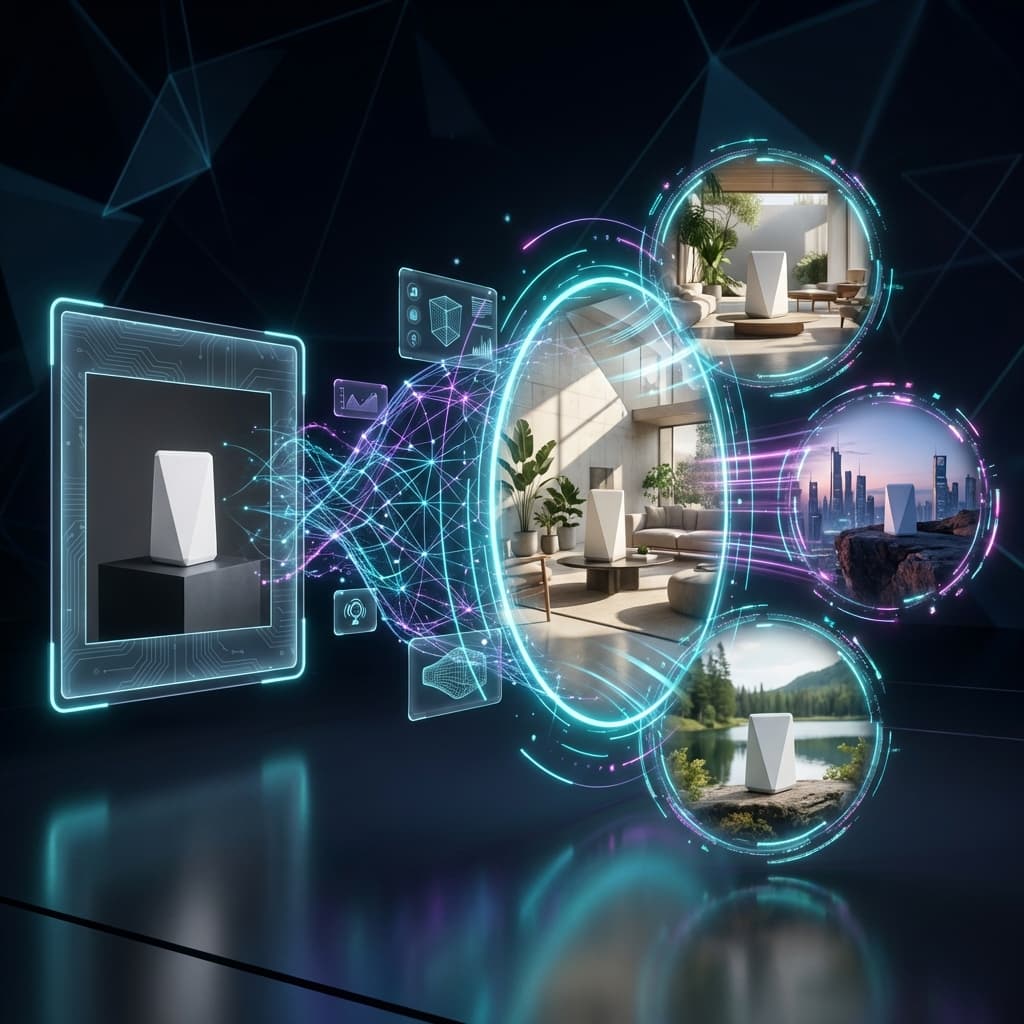

Most Amazon sellers are paying $25–$150 per product photo and waiting 2–3 weeks for a studio. Meanwhile, AI-generated product images now match - and often exceed - studio photography in visual quality. The question is no longer whether AI can compete. It's whether you're already behind your competitors who are using it.
Here's the reality: 90% of online shoppers consider product images "extremely important" when making a purchase decision. Yet most sellers are still paying $25-50 per photo, waiting weeks for shoots, and struggling to create the variety of images modern marketplaces demand.
This guide is your complete playbook for understanding, implementing, and mastering AI product photography - whether you're launching your first product or scaling a catalog of thousands.
1. What is AI Product Photography?
AI product photography uses artificial intelligence to generate, enhance, or transform product images without traditional photography equipment. Instead of studios, lights, and cameras, you use algorithms trained on millions of images to create photorealistic visuals.
The Three Types of AI Photography
Generative AI (Text-to-Image)
Create entirely new images from text descriptions. Tools like Midjourney and DALL-E fall into this category.
Image Enhancement AI
Take existing photos and improve them - background removal, lighting correction, upscaling, color grading.
Scene Generation AI
Place your actual product into AI-generated lifestyle scenes, backgrounds, and contexts. This is what Rendery3D specializes in.
The magic of modern AI photography is the combination of all three. You can take a simple smartphone photo of your product, remove the background, place it in a stunning lifestyle scene, and enhance the final result - all in under 5 minutes.
2. How AI Product Photography Actually Works
Understanding the technology helps you get better results. Here's what happens behind the scenes when you use an AI photography tool:
The AI Photography Pipeline
Step 1: Image Understanding
AI analyzes your product photo to identify the object, its edges, materials, and lighting. Modern models can detect reflective surfaces, transparent materials, and complex textures.
Step 2: Background Separation
Using segmentation AI, the product is isolated from its background with pixel-perfect accuracy - even handling hair-thin edges and semi-transparent elements.
Step 3: Scene Generation
Based on your prompt or selected template, the AI generates a contextually appropriate background. It considers lighting direction, shadow angles, and environmental reflections.
Step 4: Compositing & Harmonization
The product is placed into the scene with proper shadows, reflections, and color grading so it looks naturally integrated - not "pasted on."
The best AI tools, including ours, use diffusion models trained specifically on product photography. This means they understand e-commerce conventions: clean compositions, proper product-to-background ratios, and the kind of lighting that converts browsers into buyers.
3. AI vs Traditional Photography: The Real Comparison
Let's get practical. Below is a side-by-side comparison of what it actually takes to produce product images each way - and why the economics have fundamentally shifted.
| Factor | Traditional Studio | AI Photography |
|---|---|---|
| Cost per Photo | $15 - $50 | $0.10 - $2 |
| Time to First Image | 3-14 days | 5 minutes |
| Revisions | Limited (extra cost) | Unlimited |
| Scene Variations | New shoot required | One click |
| Scalability | Linear cost increase | Near-zero marginal cost |
| Best For | Hero shots, brand campaigns | Lifestyle, variations, catalog |
Use the calculator below to see exactly how much you could save by switching to AI for your product catalog:
AI vs Traditional Photography: ROI Calculator
Average studio cost: $15-$50 per photo
Traditional Cost
$0
AI Cost
$0
Your Savings
$0
Plus 0 days faster time-to-market
* AI cost estimated at $0.50/photo. Actual costs vary by tool and volume.
💡 The Smart Approach: Hybrid Photography
The most successful brands use both. Traditional photography for hero shots and flagship campaigns where tactile quality matters. AI for lifestyle variations, seasonal updates, A/B testing, and catalog scaling. This hybrid approach maximizes quality while minimizing cost.
4. Types of AI Product Photos You Can Create
Modern AI can generate virtually any type of product image. Here are the most impactful categories for e-commerce:
White Background (Amazon-Ready)
Pure white backgrounds (RGB 255,255,255) that meet marketplace compliance. AI excels at removing backgrounds and creating perfectly lit, shadow-matched results.
Lifestyle Scenes
Place products in contextual environments - kitchens, living rooms, offices, outdoors. Show the product in use without expensive set design.
Infographics & Feature Callouts
Combine product imagery with text overlays, icons, and dimension markers to highlight key selling points visually.
Seasonal & Promotional
Generate holiday-themed backgrounds, sale graphics, and seasonal variations without reshoots. Update your entire catalog for Black Friday in hours.
Model Integration
AI-generated models wearing or using your products. Diverse representation without expensive model fees or logistics.
360° and Multi-Angle
Generate consistent angles and perspectives from a single source image. Some tools can even create rotating product views.
5. Best Practices for AI Product Photography
Getting great results from AI isn't magic - it's methodology. Here's how to maximize quality and consistency:
Start with Good Source Photos
- Lighting matters: Even smartphone photos work if lighting is even and diffused. Avoid harsh shadows.
- Multiple angles: Capture front, side, and detail shots. AI can't invent what it doesn't see.
- Clean backgrounds: A plain background makes isolation easier, but modern AI can handle cluttered scenes.
- High resolution: Start with at least 1000x1000 pixels. You can always downscale; you can't add detail.
Master Prompt Engineering
The Prompt Formula:
Example:
"Premium coffee mug on marble countertop in modern minimalist kitchen with soft morning light shot from 45-degree angle, clean editorial style"
Maintain Brand Consistency
- Create style guides: Document your preferred lighting, angles, and background types.
- Use templates: Many AI tools let you save prompts or scene presets for reuse.
- Color calibration: Ensure AI-generated images match your actual product colors.
⚠️ Common Mistakes to Avoid
- Over-editing: Excessive enhancement makes images look fake
- Inconsistent shadows: Shadow direction should match across all product images
- Wrong scale: Products floating or appearing too large/small in scenes
- Ignoring platform requirements: Each marketplace has specific dimension and format rules
6. Choosing the Right AI Photography Tool
The market is flooded with options. Here's a decision framework to find what works for your business:
Key Questions to Ask:
1. What's your primary use case?
Background removal only? Lifestyle scenes? Full catalog generation? Different tools excel at different tasks.
2. What's your volume?
10 images/month? 1,000? Pricing models vary dramatically - per-image, subscription, or credits.
3. Do you need API access?
For automation and integration with your existing workflow, API availability is crucial.
4. What quality level do you need?
Social media content can tolerate more compression than Amazon main images.
Tool Categories
- All-in-One Platforms: Rendery3D, Photoroom, Claid.ai - handles everything from background removal to scene generation
- Simple Background Tools: Remove.bg, Canva - great for basic cleanup, limited scene generation
- Advanced Creative Suites: Adobe Firefly, Midjourney - maximum creative control, steeper learning curve
- Enterprise Solutions: Custom-trained models for brands with specific requirements and massive catalogs
7. The Future: What's Coming in 2026 and Beyond
The AI photography space is evolving rapidly. Here's what's on the horizon:
🎬 Video from Stills
AI is already generating product videos from single images. Expect rotating product views, animated features, and short-form content generation to become standard by late 2026.
🥽 AR/VR Integration
AI-generated 3D models that work seamlessly with augmented reality "try before you buy" experiences. Your customers will virtually place products in their space.
🎯 Real-Time Personalization
Product images that adapt based on viewer preferences. A minimalist apartment as background for one shopper, a cozy cottage for another - generated on the fly.
🤖 Multimodal AI
By 2026, 60%+ of AI solutions will combine images, text, audio, and video. Expect tools that generate complete product pages - images, copy, and videos - from a single source photo.
Summary: Your AI Photography Playbook
Understand the technology: AI photography combines scene generation, background removal, and enhancement for studio-quality results.
Embrace hybrid approaches: Use traditional photography for hero shots, AI for variations and scaling.
Start with quality inputs: Good source photos lead to great AI outputs.
Master prompting: Use the formula: Product + Surface + Environment + Lighting + Angle + Style.
Choose tools by use case: Match your volume, budget, and creative needs to the right platform.
Stay ahead of trends: Video generation and AR integration are coming fast - plan your visual strategy accordingly.
Ready to Try AI Product Photography?
See what AI can do for your product images. Generate your first lifestyle scene in under 5 minutes.
Start Free Today