
Product Photography Strategy
Why Your Store Looks Like a Dropshipping Scam (And How to Fix It)
A comprehensive audit and fix system for inconsistent product photography so your catalog feels cohesive, premium, and trustworthy.
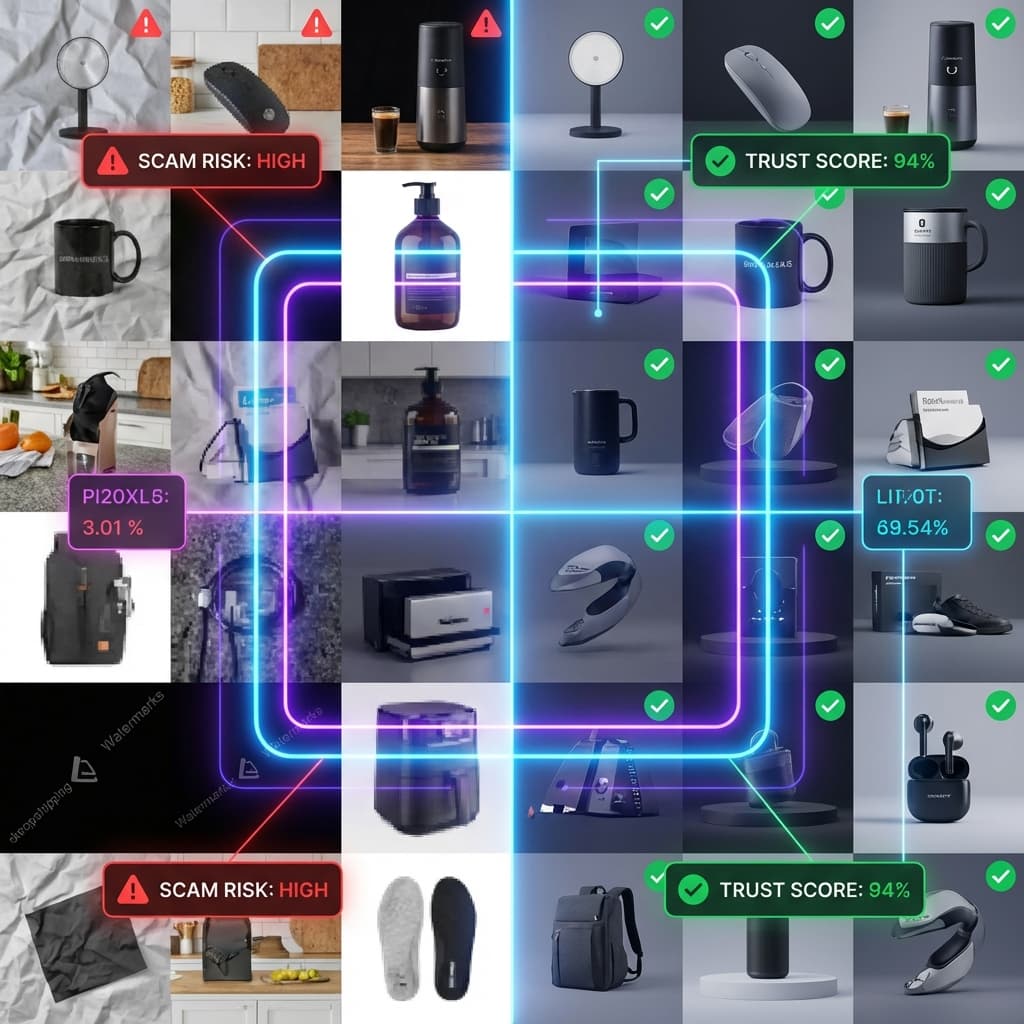

Inconsistent photography is the #1 trust killer. Here is the audit checklist.
If your store looks like a dropshipping scam, the fastest fix is not a new logo or a new theme. It is a consistent image system.
What shoppers see when your photos do not match
Inconsistent product photography is the fastest way to make a legitimate brand look like a dropshipping scam. Most shoppers never say it out loud. They simply feel uncertain and leave. That uncertainty is expensive because product pages are a visual decision first and a copy decision second. Baymard research shows that product images are the most common first interaction on a product page, even before shoppers read details or specifications. Baymard product image research.
When the first thing a shopper does is zoom into images, they are asking one question: do I trust what I am seeing? Baymard also reports that a significant share of ecommerce sites still ship images with insufficient resolution for zoom, which means customers cannot confirm texture, stitching, or fine details. Baymard zoomable image findings. If your images are inconsistent on top of being too small or soft, the shopper has no path to confidence. The leap of faith feels too big.
That trust gap has nothing to do with your checkout, your app stack, or your brand story. It is a split second reaction to visual inconsistencies: different backgrounds, different camera angles, uneven lighting, or mismatched color temperature. These issues are interpreted as different suppliers or stock images because that is exactly what dropshipping storefronts look like.
The brutal truth is this: you can do everything else right and still look untrustworthy if your catalog does not feel like it was shot in one coherent system. This is why photography consistency is a conversion lever, not just an aesthetic choice. When you fix it, every other element of your store performs better.
The trust gap shows up in four places:
- Lower click through rates on category pages because the grid looks uneven.
- Shorter time on product pages because shoppers bounce before reading.
- Higher support questions about materials, color, and size because images do not answer them.
- Higher return rates because expectations were set by mixed, inconsistent visuals.
Audit checklist: the eight trust killers
You do not need to guess whether your catalog looks inconsistent. Use this audit checklist on any category page. Scroll down the grid and mark every issue you can see in under 30 seconds. If you find more than three, you are in the danger zone.
- Mixed backgrounds. Some products float on pure white, others sit on gray or textured surfaces. This is the number one dropshipping signal.
- Lighting direction changes. Shadows point left on one product and right on the next. It reads like multiple studios or stock photos.
- Scale inconsistency. One product fills the frame and another is tiny. Even if the items are different sizes, the cropping should be consistent.
- Color temperature shifts. Whites are warm on some images and cool on others. This makes your catalog feel stitched together.
- Retouching mismatch. Some images are glossy and sharp, others are flat or dull. The polish level should be uniform.
- Angle order mismatch. One product starts with a front view, another starts with a top view. Shoppers cannot compare quickly.
- Label placement and cropping changes. Logos are centered on one item but cropped on the next. This makes branding feel accidental.
- Aspect ratio mismatch. Some images are square, others are tall or wide. Your grid becomes jittery and noisy.
This audit is intentionally simple. If you want a deeper diagnostic, pick five random products and compare their image stacks side by side. If a shopper cannot predict what the next image will show, you are losing trust at scale.
Quick visual test
Squint your eyes until the products blur. If the grid still looks uniform, your catalog is cohesive. If it turns into a chaotic patchwork, your images are fighting each other.
Manual fix: build a consistent photography system
You can fix photography inconsistency without a massive studio budget, but you need a system. The goal is to make every SKU feel like it was shot on the same day, by the same team, with the same rules. The following steps are the exact workflow we use to audit stores and rebuild trust fast.
1. Define the image stack before you pick up a camera
Your image stack is the order of shots every product must have. For most ecommerce stores, the minimum stack is: hero angle, secondary angle, detail close up, scale reference, lifestyle or in hand, and packaging. This is why the 7 image stack guide works so well. Consistency starts with the sequence, not the camera.
2. Build a lighting recipe you can repeat
Pick a single light direction and stick with it. A simple two light setup with soft diffusion works for most products. The key is repeatability. Mark the floor with tape, lock the height of your lights, and record the exact distance from the product. If you change the lighting between sessions, your catalog will immediately show the seam.
3. Lock your camera settings for the entire shoot
Use a tripod. Set your focal length and do not touch it. Choose a consistent aperture that keeps the full product in focus and avoid auto white balance. Manual settings prevent subtle shifts that make a grid feel uneven. If you need a refresher, Shopify has a clear DIY product photography guide that breaks down camera basics and lighting setups for small teams. Shopify: DIY Product Photography Guide.
4. Standardize cropping and spacing
Consistent cropping is what makes a grid feel premium. Pick a reference product and lock its size in the frame. Every other item should match that scale as closely as possible. If a product is physically larger, use a different template for that category. If it is smaller, add negative space rather than zooming in too far.
5. Create a retouching preset and stick to it
Color grading should not change from product to product. Build one preset that standardizes contrast, white balance, and sharpness. Apply it across the board. This single decision fixes most of the \"stitched together\" look that screams dropshipping.
6. Use a quality control pass before publishing
QC is a visual pass that compares each SKU against the reference. Check background, lighting direction, color temperature, and scale. If an image deviates, fix it before it goes live. A dedicated QC step is faster than replacing images after customers notice.
Video walkthrough
Want a quick primer on store layout and photography polish? This video shows how visual consistency influences conversions.
This manual system works, but it is slow. Once you add seasonal refreshes, new SKUs, and a few reshoots, most teams fall behind. That is why consistency is often the first thing to slip when growth accelerates.
The one page photography style guide template
A style guide is the single most effective way to keep consistency across time, people, and suppliers. Think of it as the contract for your visual system. If you are working with freelancers or multiple studios, this document removes guesswork. If you are shooting in house, it becomes the checklist you use every time you set up a shoot.
Keep the guide to one page so it actually gets used. It should cover the exact choices that define your visual identity, plus a short list of non negotiables. Most stores either skip this or write a long PDF that no one reads. A one page guide is easier to follow and easy to attach to a project brief.
Style guide template
| Element | Standard |
|---|---|
| Background | Pure white or light gray, no texture, no gradients |
| Light direction | Key light at 10 o'clock, fill at 2 o'clock |
| Camera angle | Hero at 15 degree tilt, centered, lens height aligned to product midline |
| Crop ratio | Product fills 80 percent of frame, 1:1 square output |
| Color temperature | 5500K daylight, white balance locked |
| Retouching | Single preset for contrast and sharpness, no heavy shadow boost |
| Export size | 2000 by 2000 px, sRGB, 85 percent JPG quality |
| File naming | SKU-ANGLE-01, SKU-DETAIL-01, SKU-LIFESTYLE-01 |
The exact values do not matter as much as consistency. If you prefer a warmer look, lock that in. If you sell dark products, use a slightly darker background. The key is to make deliberate choices and document them. Once your choices are documented, your team can scale without re inventing the look every time.
How to brief a photographer or freelancer
- Attach the one page style guide as the first page of the brief.
- Include three reference images from your best performing products.
- Specify the exact number of angles required for each SKU.
- List the marketplaces you sell on so they can follow platform requirements.
- Ask for a test batch of two products before a full shoot.
The test batch step is critical. It is far easier to correct a two product sample than to fix a 200 SKU shoot after the fact. If the test batch does not match your style guide, you can adjust settings immediately and avoid weeks of rework. This is how larger brands keep their catalogs consistent even when multiple studios are involved.
Interactive: Photo Consistency Cost Calculator
Inconsistency is not just a visual issue. It adds real hours and real dollars to your workflow. Use the calculator below to estimate the time and cost impact across your catalog. Even small inconsistencies can trigger rework that compounds fast.
Interactive Audit
Photo Consistency Cost Calculator
Estimate how inconsistent photography inflates time and cost. Toggle the issues you see in your catalog, then adjust the volume to see the impact.
Trust score is an estimate based on the issues you selected. Higher is better.
19.2
Includes 0% rework from inconsistency.
$768
Based on your retouching rate and volume.
0.0 hrs
Time spent fixing inconsistencies.
Select issues you see
Common mistakes that make a store feel like a scam
If you want to remove the dropshipping vibe, avoid these specific mistakes. They are subtle, but shoppers spot them immediately.
- Mixing studio and lifestyle shots in the product grid. Lifestyle photos belong in the product gallery, not as the first image in a category grid.
- Using supplier images and your own photos together. Even high quality supplier photos have different lighting and retouching styles. Pick one or reshoot everything.
- Compressing images differently per SKU. Some images look crisp while others look soft. Keep file size and export settings consistent.
- Ignoring the thumbnail view. Most shoppers scan thumbnails first. If a product only looks good full size, it is not ready.
- Editing in batches with different presets. A single inconsistent preset can break the whole grid, especially on white backgrounds.
Each of these mistakes is easy to fix. The hard part is noticing them early. That is why a routine audit is more valuable than a one time redesign.
30 day consistency sprint for busy teams
Most teams do not have the luxury of pausing launches while they rebuild photography. The fastest approach is a 30 day sprint that focuses on the revenue critical products first, then locks a system so the rest of the catalog follows. Here is a practical timeline you can run without hiring a full studio crew.
Week 1: Audit and prioritize
Export a list of your top 20 percent of products by revenue. These are the images that drive the bulk of sessions and sales. Run the eight item audit checklist on that group only. If you fix those SKUs, you will see impact faster than if you spread effort across the entire catalog.
Week 2: Build the look and test it
Create the one page style guide, then apply it to a small test batch. Pick three products that represent different sizes or materials. Shoot, retouch, and publish those images. Use them as the benchmark. This is the moment to adjust lighting or crop ratios, before you scale the process.
Week 3: Refresh your best sellers
Now update the core SKUs. These should be the ones that appear in ads, emails, and best seller collections. Replace the hero image first, then update the rest of the stack in order of importance. Most conversion lift happens when the hero images and first two angles become consistent.
Week 4: Systemize and prevent drift
Consistency is not a one time project. Build a simple checklist that every new product must pass before it goes live. Set a monthly audit reminder and keep the style guide next to your upload checklist. This ensures that new SKUs do not slowly erode the trust you just rebuilt.
Sprint deliverables
- A clean hero image template for every product line.
- Updated image stacks for the top revenue SKUs.
- A single style guide and a QA checklist for future uploads.
- A shared folder of approved backgrounds, shadows, and presets.
If you cannot allocate time for this sprint, it is a sign that the manual route may be too slow for your business. That is when a consistent AI workflow becomes the more reliable option, because it locks the system without long production cycles.
Marketplace image requirements you must meet
Consistency alone is not enough if your images fail platform requirements. The most common problem is size and quality. Major marketplaces enforce image standards and can suppress or downgrade listings when images are too small, overly compressed, or visually noisy. A good rule is to export high resolution images that support zoom while staying within the platform file size limits.
These requirements are not just compliance checkboxes. If your images are too small or too compressed, they look blurry on modern screens. That alone can create the \"scam\" feeling even if your lighting is consistent.
Quick compliance tips
- Export square images for grids and keep the product centered.
- Use high resolution files so shoppers can zoom into details.
- Check image size requirements for each marketplace before upload.
If you sell on Amazon, main image requirements are even stricter. The main image must be clean, compliant, and consistent with the rest of the catalog. Use the Amazon main image rules guide to make sure you do not get suppressed.
Advanced trust builders that make small brands feel big
Once your baseline photography is consistent, you can add advanced trust builders. These are not nice to haves. They are the assets that make smaller brands feel established and premium.
Add interactive or dimensional assets
Seeing the product in 3D or in context reduces uncertainty. Shopify has published case study data showing that 3D and augmented reality interactions can lift engagement and conversion. In a Shopify study of an apparel brand, shoppers who interacted with 3D content were more likely to add to cart and place an order. Shopify AR ecommerce case study. If you sell products where material, fit, or scale matters, interactive views are one of the strongest trust upgrades you can make.
Use consistent scale references
A simple hand shot, a ruler overlay, or a known object in frame can solve size uncertainty. The trick is consistency. Use the same scale reference across a category so shoppers can compare. This is especially effective for accessories, home goods, and kitchen items where size is hard to judge.
Create one hero layout for every SKU
The hero image should follow a single layout that makes your catalog instantly recognizable. This is where a clean background and consistent lighting do the heavy lifting. Once you have a hero template, your brand starts to feel intentional and premium.
Pro tip
If you are running ads or selling on Amazon, unify your hero images across channels. A consistent hero image improves brand recall and makes your ads look more professional.
FAQs about dropshipping trust and photography
How do I know if my store looks like a dropshipping scam?
If your product grid looks like multiple suppliers stitched together, you have a trust problem. The fastest test is to compare five random products side by side. If lighting, background, and cropping differ noticeably, shoppers see it too.
Can I fix trust issues without reshooting everything?
Sometimes. If your lighting is already consistent, you can standardize cropping, retouching, and background cleanup. If lighting and angles vary, you will need reshoots or an AI workflow that can normalize those variables.
What if my catalog is huge?
Start with your top 20 percent of products by revenue. Fixing the hero image and first two angles for your best sellers often delivers the fastest trust lift. Then scale the system across the rest of the catalog.
Does consistency matter for marketplaces like Amazon?
Yes. Amazon rewards clean, compliant images with higher visibility and lower suppression risk. Consistent images across your catalog also make your brand feel legitimate in a crowded marketplace.
How Rendery3D makes this easy
The manual system works, but it takes time, budget, and a team that can keep the rules consistent. Rendery3D gives you the same consistent output without reshoots. Upload your product once and generate a cohesive image stack that follows your brand rules.
- Unified lighting and background. Generate a consistent hero image across every SKU, even if your source photos were captured in different conditions.
- Predictable angles and crops. Build a repeatable image stack so shoppers can compare products faster.
- Brand protection. Logos and labels are preserved so your packaging looks authentic and premium.
- Faster iteration. Create new variations for ads or marketplaces without reshooting.
If you want to rebuild trust fast, start with your hero images. Use our AI product photography workflow to generate a consistent catalog in hours. For marketplace specific needs, the Amazon product photography service helps you stay compliant while keeping the visuals clean. You can also create matching backgrounds with the AI background generator and preview the results in the gallery of customer work.
Ready to stop looking like a dropshipping scam? You can see pricing and turnaround time on the pricing page or jump straight into a free trial at Rendery3D signup.
Summary checklist: fix the trust gap fast
You do not need a full rebrand to fix the dropshipping look. You need visual consistency, a repeatable process, and a quick audit. Use this checklist to lock the basics in place.
- Define a single image stack and apply it to every SKU.
- Lock lighting direction, camera settings, and background for all shoots.
- Standardize cropping so products align in the grid.
- Use a single retouching preset across the catalog.
- Validate image size and quality against marketplace requirements.
- Run a monthly audit to catch drift before it compounds.
Final thought
Your brand credibility is a visual system. Once your images are consistent, every marketing channel becomes easier to scale.