
Visual Merchandising Strategy
Color Psychology in Product Displays (2026): Match Backgrounds to Buyer Emotion
Matching background tones to the buyer's emotional state is one of the fastest ways to make a product feel right before they read a single word.


Color is a fast signal. It shapes first impressions, sets expectations, and filters the way buyers read your product story. A major review in color research notes that color can change affect, cognition, and behavior, which is why it consistently shows up in marketing and design experiments.
Our team has applied this exact framework across dozens of seller catalogs - not as theory, but as an operational system. The specific constraints mentioned here reflect what we observe working with real FBA and e-commerce teams daily.
The catch is that color psychology is contextual. Preferences vary by culture and by product category. In a YouGov survey across 10 countries, blue was the most popular color with roughly 23 to 33 percent of respondents choosing it, yet a separate YouGov poll in the United States still showed wide variation beyond blue.
This guide turns that research into a repeatable display method. You will learn how to translate a buyer emotion into a background plan that preserves product clarity, works within channel rules, and scales across a catalog.
Research Snapshot
- YouGov's 10 country survey shows blue leading as the favorite color in every country, with 23 to 33 percent choosing it.Source
- In a U.S. YouGov poll, 34 percent of Americans picked blue as their favorite color, followed by red and green at lower levels.Source
- A Ghanaian university study of 797 students found blue as the most preferred color and orange as the least preferred, highlighting how preference varies across samples.Source
- The World's Favourite Colour project collected 30,000 submissions from more than 100 countries, underscoring the scale of preference variation.Source
📺 Watch: Color Psychology Basics
If you want a quick overview of how color influences perception, this video is a solid primer before we dive into the display framework.
1. The Hidden Conversion Leak: Mismatched Color Emotion
Most product displays fail at the emotional stage. The lighting is technically correct and the product is sharp, but the background mood tells a different story than the product promise. A calming skincare product on a harsh neon background feels wrong. A high energy fitness product on a muted beige background feels slow. That mismatch is a silent conversion leak.
Red Flags to Watch For
- The background color fights the dominant product color, lowering contrast.
- The background mood does not match the emotion in your headline or ad copy.
- Multiple SKUs share the same background, but the products have different emotional goals.
- Colors look fine on desktop but wash out on mobile or low brightness screens.
Fixing this is not about picking a random trendy color. It is about mapping the buyer's emotional state to a background that reinforces the product promise.
2. What Color Psychology Actually Does (and Does Not) Do
Color psychology is a way to shape perception at first glance. It can tilt a product toward feelings like trust, energy, or premium quality. A major review in the Annual Review of Psychology notes that color can influence affect, cognition, and behavior, but those effects depend on context and learned associations.
What it can do
- Signal the intended emotion before the buyer reads the copy.
- Increase clarity and visual hierarchy on crowded listings.
- Reinforce brand personality across a catalog.
What it cannot do
- Fix poor product positioning or weak offer value.
- Override platform image rules or buyer skepticism.
- Replace consistency in lighting, crop, and sharpness.
Treat color as a multiplier. It strengthens the signal you are already sending, but it rarely changes the buyer's mind on its own.
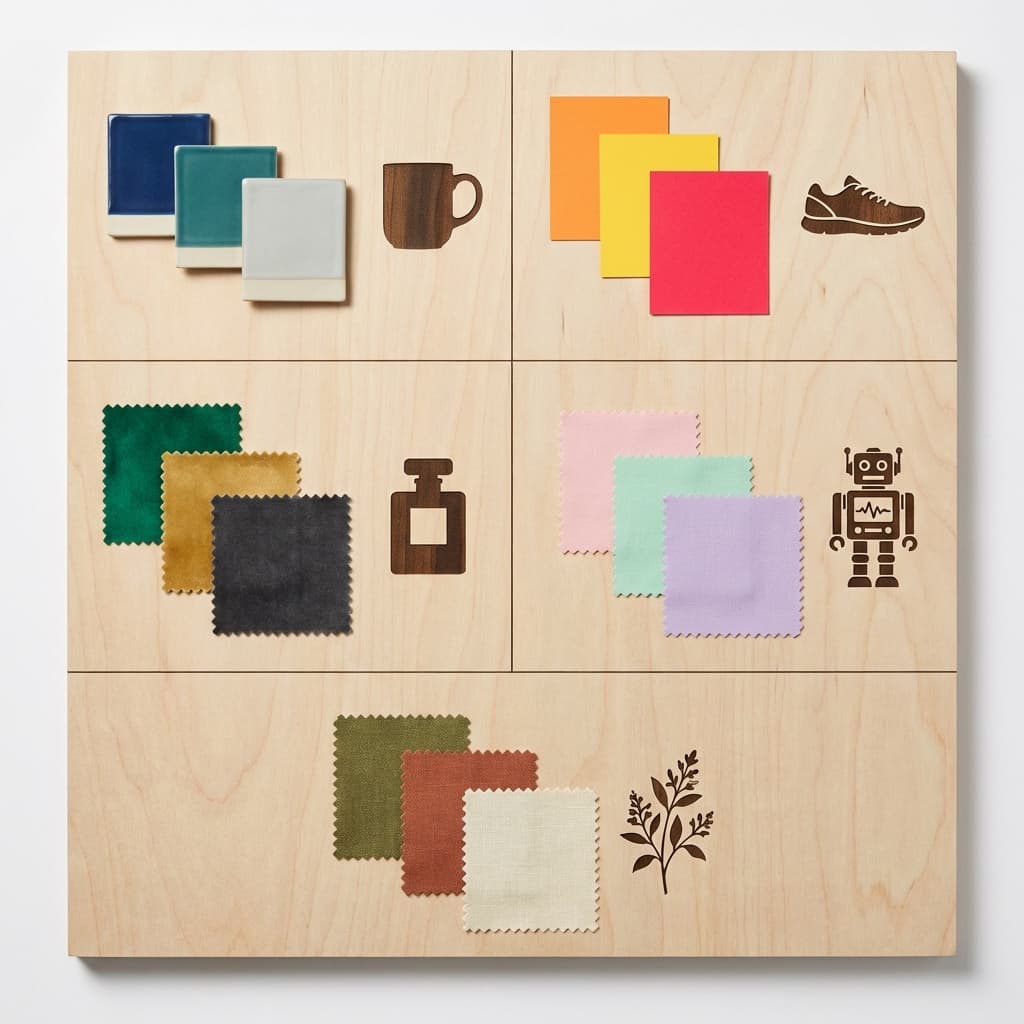
3. The Buyer Emotion Map: From Mood to Background Tone
Start by naming the single emotion you want the buyer to feel when they see your product. Then translate that emotion into a background recipe: hue family, saturation, and texture. This keeps your photography and renders consistent across SKUs.
| Buyer emotion | Background tone | Best for |
|---|---|---|
| Trust and calm | Cool blues, soft grays, low saturation | Skincare, finance, wellness, medical devices |
| Energy and urgency | Warm reds, coral accents, higher contrast | Fitness, limited drops, flash sales |
| Luxury and prestige | Deep charcoal, black, muted metallics | Jewelry, premium tech, fragrance |
| Playful and fun | Bright pastels, bold accent colors | Kids products, snacks, novelty items |
| Natural and healthy | Warm neutrals, greens, organic textures | Food, supplements, eco goods |
Need a deeper primer? The HubSpot overview on color psychology is a good starting point before you lock your palette.HubSpot: Color Psychology
4. Manual Method: 7 Steps to Pick a Background That Converts
- Define the buyer emotion. Choose one primary feeling, not five. Calm, premium, playful, urgent, or natural.
- Anchor the product's dominant color. Note if the product is warm, cool, neutral, or highly saturated.
- Choose a background family. Pick a hue family that supports the emotion without matching the product too closely.
- Set value contrast. Aim for a clear silhouette. If the product is dark, raise background brightness. If the product is light, deepen the background.
- Control saturation. Reduce saturation on the background when the product is highly colorful, otherwise the eye fights.
- Decide on texture. Solid for clarity, subtle gradients for depth, lifestyle for narrative.
- Test two variants. One safe option and one bold option. Compare performance on a real channel, not a guess.
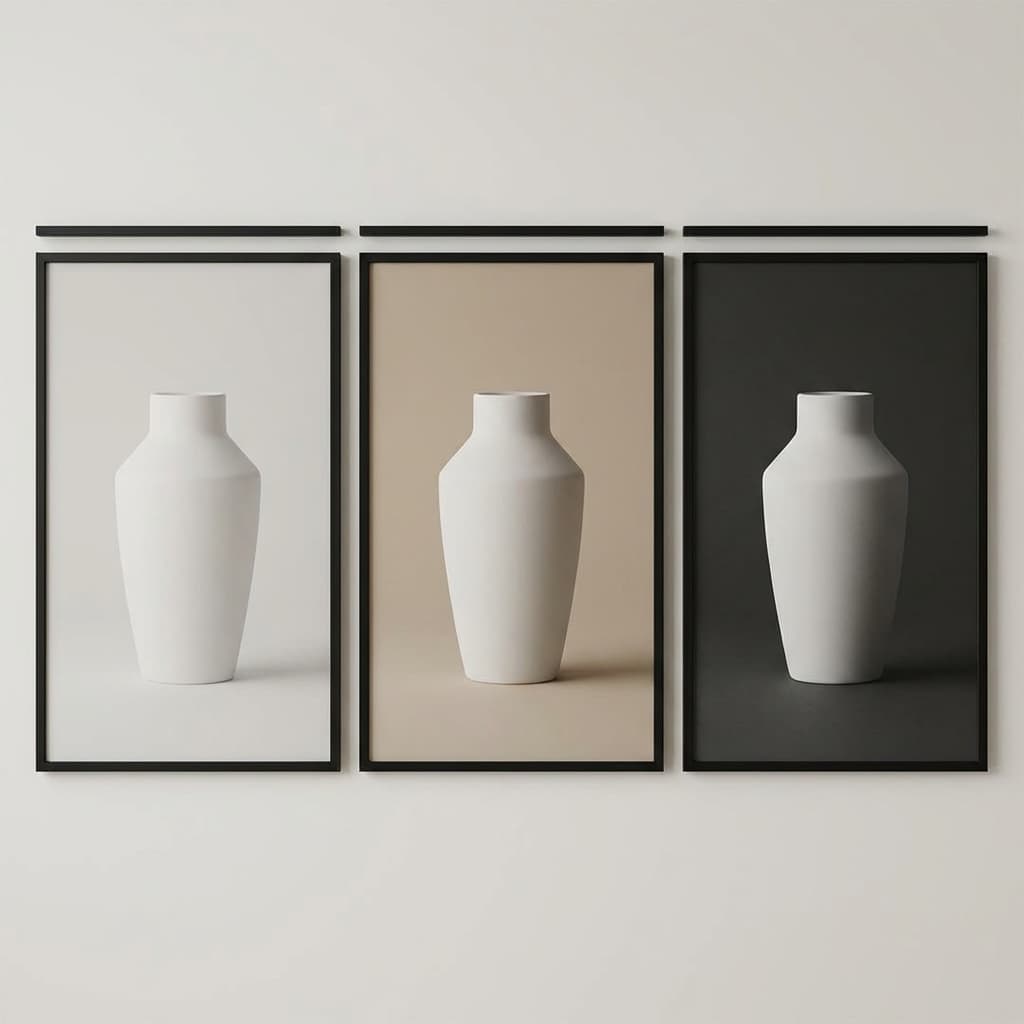
A quick contrast grid like this helps you spot whether the product silhouette holds up across screens and lighting conditions.
Pro Tip
If your product color is already dominant, use a neutral background and let accent props carry the emotion. This keeps the product label readable while still signaling mood.
5. Interactive Planner: Build Your Background Recipe
Use this planner to map emotion, product color, and channel constraints into a clear background recipe. It highlights risk flags before you spend time on a full photo or render set.
Color Psychology Display Planner
Build a background plan that matches buyer emotion and channel constraints.
1. Buyer emotional state
2. Dominant product color
3. Sales channel
4. Background style
5. Contrast goal
Match Score
Estimated background tests needed: 3
Recommended Palette
Execution Tips
- Your inputs align well. Focus on consistent lighting and crisp edges to keep the mood clean.
- Lighting cue: Soft, even lighting with minimal shadows.
- Composition cue: Centered product with generous breathing room.
Want this done automatically?
Rendery3D can generate consistent, on-brand backgrounds that preserve product labels and keep your palette aligned across every SKU.
Generate brand-safe backgrounds6. Common Mistakes That Kill Color Intent
Mistake 1: Matching the product color too closely
If your product is navy and your background is navy, you lose contrast and the product feels smaller. Always separate product and background with value or hue shifts.
Mistake 2: Over-saturating the scene
Saturation is exciting, but too much makes the product feel cheap. Keep the background slightly muted unless the product itself is intentionally loud.
Mistake 3: Using a mood that conflicts with price
Luxury products with playful pastel backgrounds read as discounted. Budget products with dark premium tones can feel deceptive. Align price perception with color cues.
7. Channel Constraints and Cultural Context
Channel rules matter. Marketplaces prioritize clarity, while social ads reward thumb-stop contrast. Treat color psychology as a layer you apply after you satisfy the platform's baseline requirements. For Amazon listings, for example, keep the main image clean and use emotional color in secondary images. Our guide on Amazon main image rules covers the compliance details.
Cultural Reality Check
Global surveys consistently show blue as the most preferred color, but preference strength varies by country and sample. YouGov's data and academic studies highlight that color preference is not universal, so always validate with your own audience data before hard-coding a palette.
8. How Rendery3D Makes This Easy
Building a color-accurate display system across 50 or 500 SKUs is time-consuming. Rendery3D automates the background planning and keeps product labels intact, so you can scale emotion-driven visuals without reshoots.
- AI background generation: Create brand-safe palettes with the AI background generator.
- Consistent catalog outputs: Match lighting, angles, and crops across a full product line. See examples in the AI product photography page.
- Marketplace ready images: Generate clean, compliant visuals alongside lifestyle shots from the AI product photography workflow.
- Fast iteration: Run color experiments on social ads, then scale the winning palette to your entire catalog.
If you are ready to build a display system around emotion, start with a free set of renders. Start generating images.
9. Checklist: Color-Accurate Product Displays
- ✅ One primary buyer emotion chosen
- ✅ Background hue family mapped to the emotion
- ✅ Product and background have clear value contrast
- ✅ Saturation reduced when product color is dominant
- ✅ Channel constraints checked (marketplace, social, retail)
- ✅ Two variants tested for performance
Want deeper guidance on consistency? Read the guide to catalog consistency to keep your visual language tight across every SKU.